
Characteristics of UV Printing
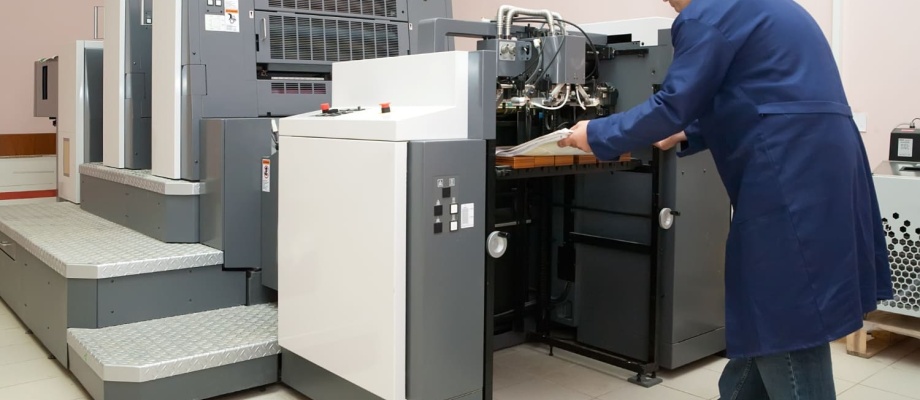
What is UV printing? It is a type of printing in which the ink applied directly onto the chosen material is cured using ultraviolet (UV) light emitted by LED lamps located next to the print head. Unlike standard office printers used every day, UV printing also uses white underprint, which allows the correct colour reproduction on non-white materials. Thanks to this, we can print on transparent materials such as clear plexiglass, polycarbonate, or glass. In this UV printing method, the CMYK + White colour palette is used: C – cyan, M – magenta, Y – yellow, K – black. By combining the four base CMYK colours—more precisely, by adjusting the percentage of each component—other colours are created.
Advantages of UV printing
UV printing is characterised by exceptional resistance to external factors such as water, temperature changes, and sunlight, outperforming standard solvent prints. It can be used both indoors and outdoors. UV inks are instantly cured, eliminating the need for drying time. The print can be immediately processed further—cut, milled, glued, or packed. Additionally, it offers high abrasion resistance. UV printing is a modern technology that delivers top-quality image reproduction. Prints feature outstanding sharpness, vivid colours, and high contrast. For large-format UV printing, we use only original Canon inks, which guarantees durability and the highest print quality. We do not use substitutes! UV printing—what is it and on what materials can it be used? It enables small and large-format printing on almost any flat material, such as:
- PVC (foam and rigid),
- HIPS,
- Composite boards (dibond),
- Plexiglass (clear and coloured),
- Polycarbonate,
- Glass,
- MDF,
- Plywood,
- Particleboard and OSB,
- Aluminium,
- Paper, cardboard, corrugated board,
- Banner material, adhesive films,
and many more! UV printing technology allows printing directly on the material, eliminating the need for additional films and laminates, which speeds up production. This means no risk of film damage, air bubbles, or extended processing time. UV printing does not release unpleasant odours or harmful substances. UV-cured inks contain no solvents or volatile chemicals, making the prints safe even for indoor use. For large-format printing we use the advanced OCE (Canon) ARIZONA 350 GT UV printer, which allows precise high-format production: Maximum flatbed UV printing area: 1250 × 2500 mmMaximum roll printing width: 2500 mm
How to prepare a graphic file for UV printing:
Wondering how to prepare a file for large-format printing to achieve the best results? Below are the most important rules to keep in mind.
File dimensions
The UV print dimensions corresponding to the ordered format (the final size expected by the client) should include 2 mm bleeds. Bleeds are the printed area extending beyond the trim line and are removed during cutting. Photos, backgrounds, and graphics that should reach the edge must extend 2 mm beyond the visible area. For example, for a 100 × 70 cm board, the file should be prepared at 100.4 × 70.4 cm. We will trim 2 mm from each side during production. No additional margins, crop marks, or registration marks are required. Important content should be positioned 8–10 mm inside the visible area.
Resolution
Resolution: 200 dpi. This resolution ensures high-quality UV printing and a satisfactory final effect.
Colour mode
The correct colour mode for UV printing is CMYK. Can you print from RGB? Yes, but there will be colour differences—the image on screen may differ from the printed output. Even printing from a CMYK file does not guarantee full colour consistency with your monitor. If colour accuracy is critical, especially for sensitive colours, we recommend printing a sample on the chosen material. Without a colour test, we cannot take responsibility for colour deviations. Deep black in UV printing is achieved when the CMYK components are set to: C50% M50% Y50% K100%. This produces a rich, saturated black. The proportions of deep black depend on the CMYK mix, but also on the material we print on. If subtle differences matter, test prints are recommended.
Flattening layers
The file must be stripped of layers and transparency—all layers must be flattened. Fonts must be converted to curves/outlines.
File formats
Files for UV printing should be supplied as:
- Vector PDF – single page, CMYK, no colour profile, 1:1 scale, centred on the page; net area without bleeds (unless 2 mm bleeds are added);
- Raster TIFF (CMYK) – no colour profile, flattened, LZW compression; net area without bleeds or with 2 mm bleeds. High-quality JPG is also accepted.
File naming
For series of large-format prints where order matters—e.g., exhibitions—use logical naming, such as: panel1, panel2, panel3, etc.
Submitting files
Files for UV printing should be sent via www.wetransfer.com (any size) or to biuro@metaloplastyka.eu (files up to 10 MB). All instructions should be included in the email message; the print file must be clean, ready for production. We strongly recommend checking your files multiple times, as we cannot take responsibility for errors present in client-supplied files. By placing an order for UV printing, the client confirms having the licence or copyright to the submitted materials, allowing their use according to the order. If you already know what UV printing is but still have doubts about file preparation, contact us—we will guide you. Remember: correct file preparation for large-format printing is crucial and has a huge impact on the final result.